
Every lecture.
Every student.
Verified attendance.
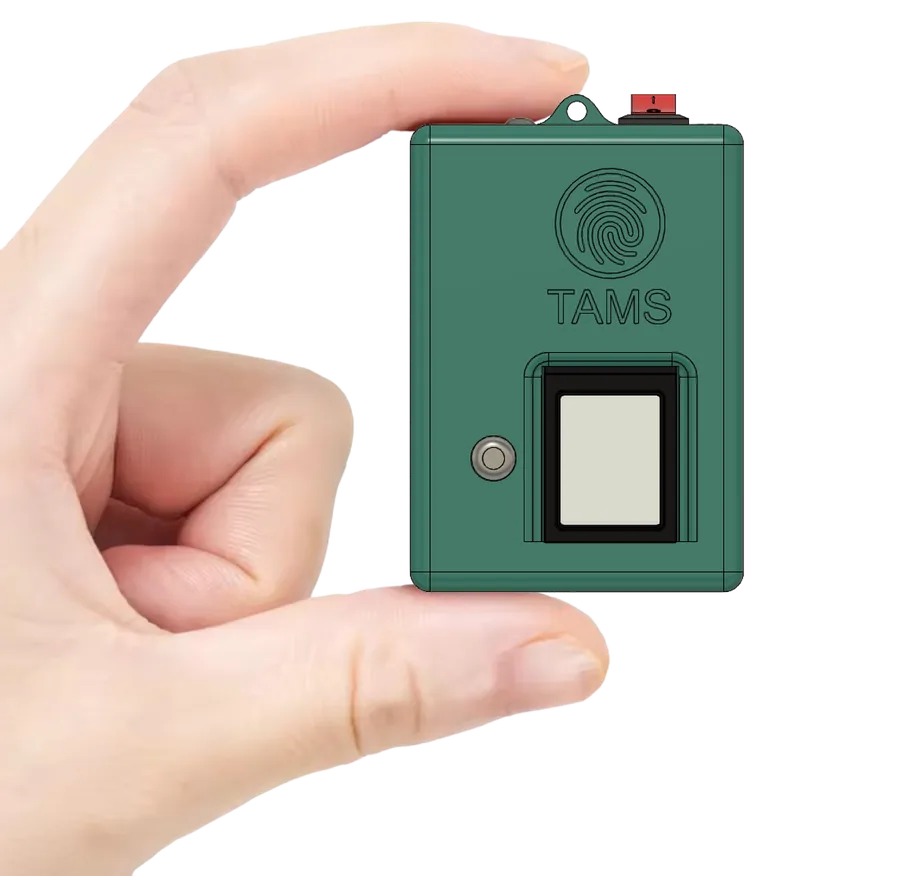
A palm-sized fingerprint attendance device and smart apps that make student attendance in colleges and universities proxy-free, give leadership live reports and alert parents automatically — with no infrastructure to install.
Trusted by universities and colleges across India
 IIT Bhubaneswar
 Arka Jain University
 Krupanidhi Group of Institutions
 Tuljaram Chaturchand College
 Silver Oak University
 Kadi Sarva Vishwavidyalaya
 COER University
 Kasturba Health Society
 Uni Trust Surajba Mahila Arts College
Staff attendance went biometric years ago. Student attendance is still on paper.
In most colleges, teachers still call out roll numbers or pass a sheet around. It costs lecture time, invites proxies, and leaves management waiting weeks for defaulter lists. TAMS closes that gap — lecture by lecture, without changing how your campus works.
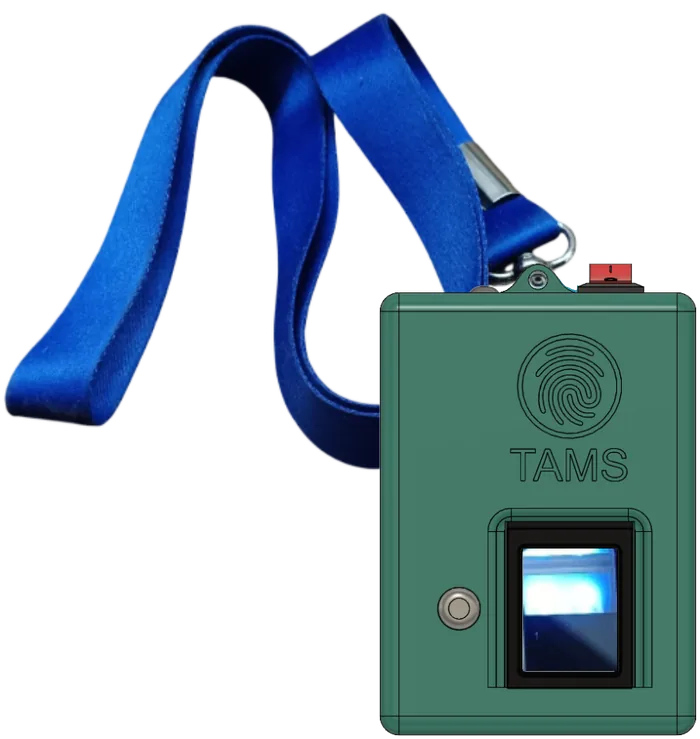
- A lecturer simply passes the device around — each student marks with a quick fingerprint scan.
- Attendance is collected only inside the classroom, not from the canteen or the corridor.
- Reports are ready the moment the lecture ends — lecture-wise, subject-wise, student-wise.
From roll call to verified report in four steps
No new routine to learn. Teachers take their lecture as usual — TAMS does the rest.
Start the lecture
The teacher starts the lecture on the device or the Teachers App — class, subject and room are picked up automatically.
Students mark in
The device goes around the class. A fingerprint scan takes about a second; face, card or code are there as backups.
Finalise & sync
The teacher ends the lecture. Records sync to the server — instantly online, or later if there is no network.
Reports & alerts
Dashboards update, absentees’ parents are alerted, and the attendance is pushed to your ERP.
One system, every situation. All work with no network.
Fingerprint is the primary method. The institution decides which other methods to switch on, and every mark is labelled with how it was made.
Fingerprint
PrimaryOn the palm-sized TAMS device. Works even with the darkest mehndi / henna.
Face match
Instant fallbackA quick selfie in the Students App, matched to the registered face — no student is left out.
RFID card
OptionalUse the college ID cards you already have — tap on the device and done.
Bluetooth radar
OptionalMarks the whole class at once by detecting students’ registered Bluetooth IDs.
Lecture code
OptionalThe teacher shows a code; students enter it in the app, checked against the classroom location.
Manual
OptionalTeachers mark by hand when needed — every manual mark is clearly labelled and logged.
Built for principals, registrars and HODs — not just for roll calls
No proxy attendance
Biometric marking inside the classroom ends proxies for good. Every mark records exactly how it was made.
Live dashboards for leadership
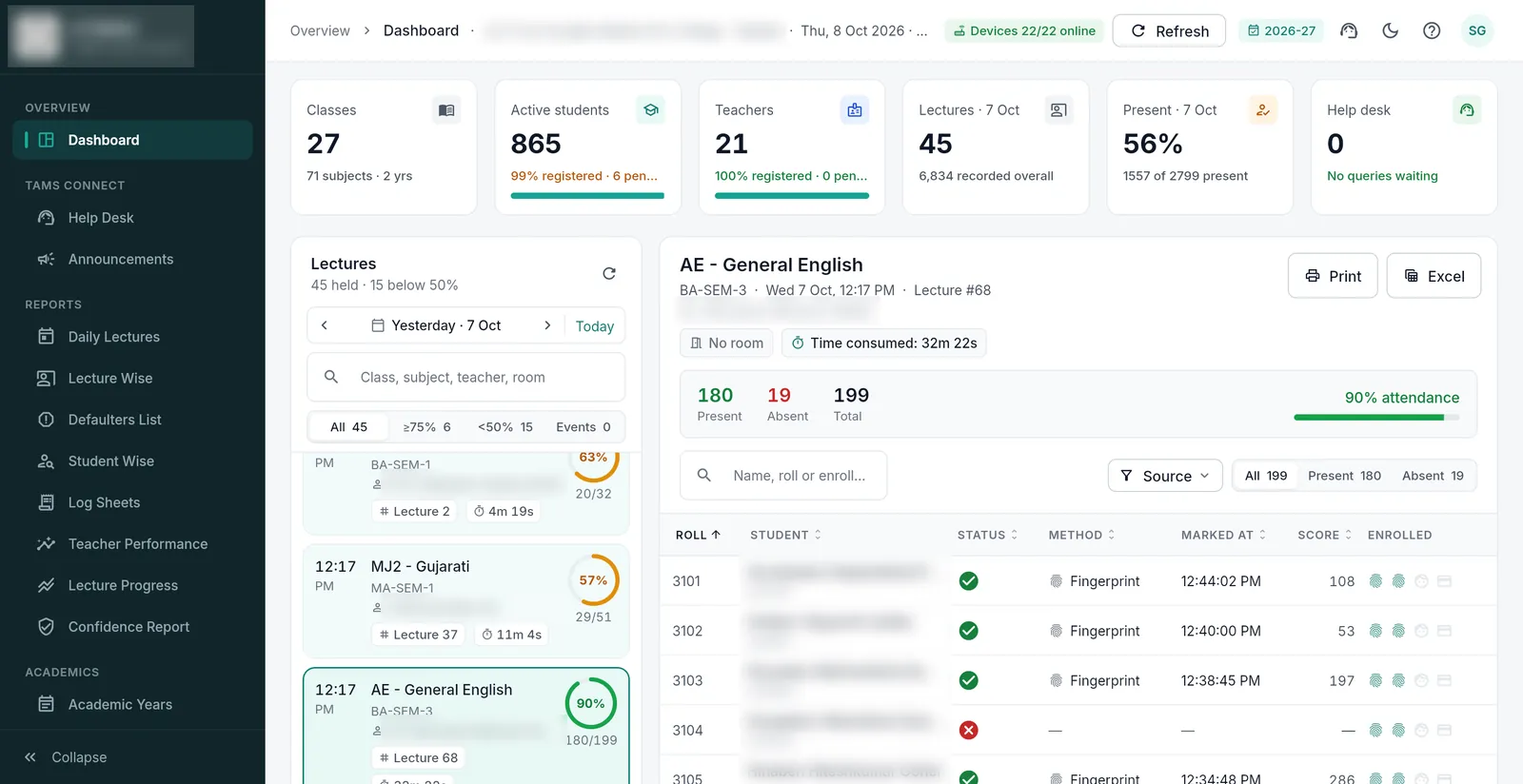
Attendance trends, lectures conducted, teacher performance and syllabus progress — for the institution, each class and each teacher.
Defaulters & parent alerts
Below-75% lists in one click. Absentee alerts by app, WhatsApp, SMS or email — sent automatically.
Tamper-proof, audit-ready
Device marks cannot be edited, old lectures lock, and every change is logged with user and time.
Connects to your ERP in a day
Academic data comes in automatically; attendance goes back live — rich reports in both systems.
Your data, your server
Your own campus server, AWS, Firebase or any cloud. One university, a separate instance for each college.
Management, faculty and students — all connected
A powerful web panel for the office, and dedicated Android & iOS apps for teachers and students.
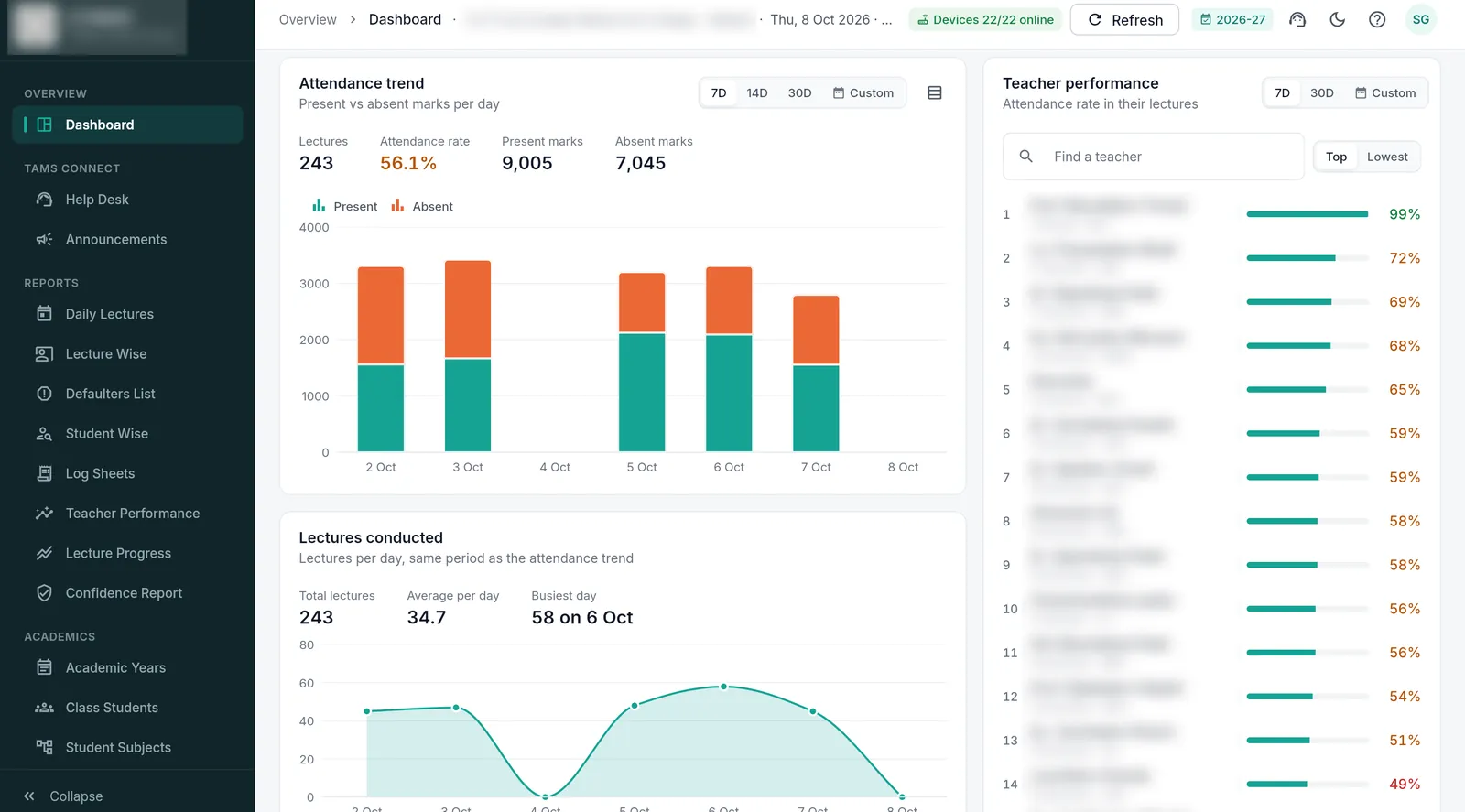
Admin web panel — attendance trends, lectures conducted, teacher performance, defaulters, log sheets and audit logs. (Names blurred for privacy.)
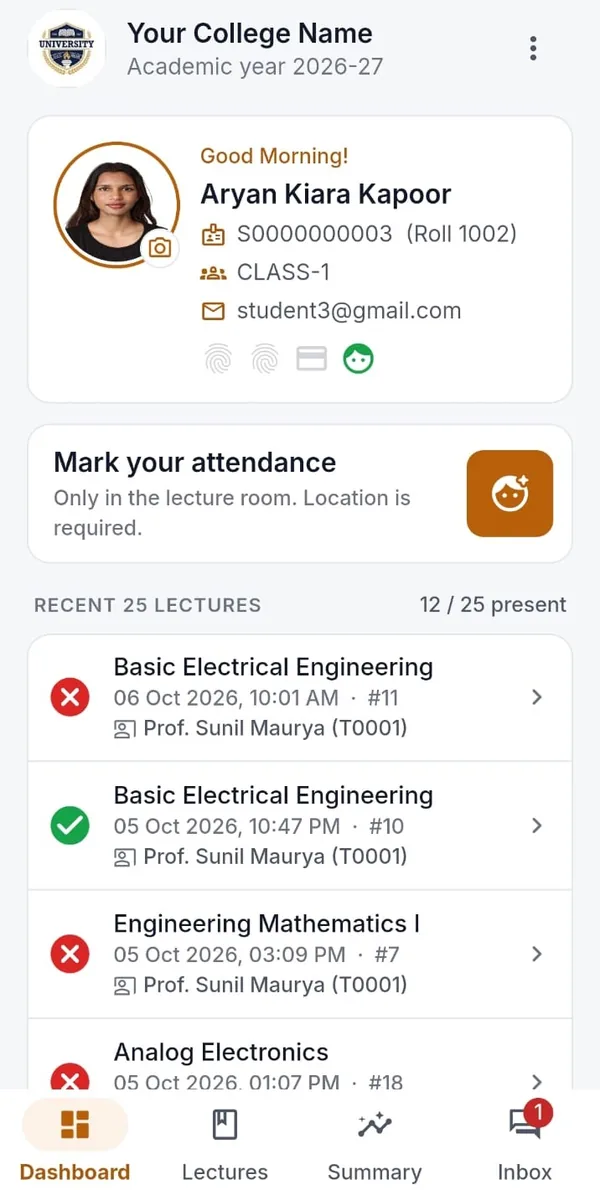
Students App
Own attendance by subject, face or code marking in the room, alerts and queries to the office.
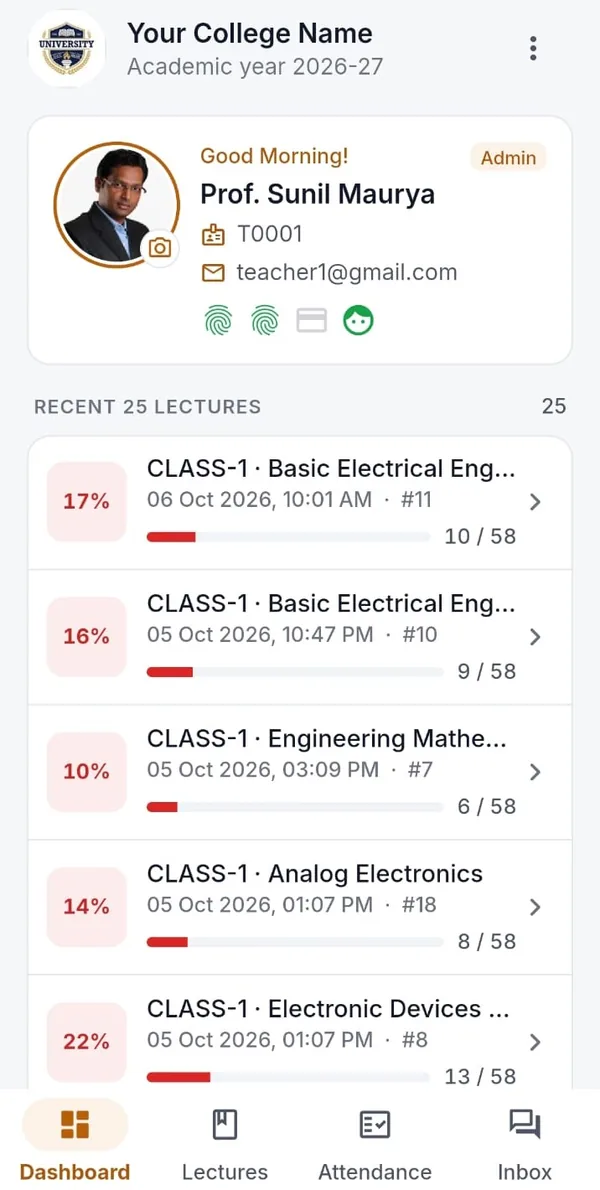
Teachers App
See all the finalised lectures, see every class’s attendance at a glance, reply to student queries.
Attendance App + device
Pairs with the TAMS device to collect fingerprint, RFID and face marks — even with no network.
From roll call chaos to verified attendance
A one-minute story of a lecture with TAMS — the device goes around the class, the app fills up, and the office sees it live.
- No more calling roll numbers or passing sheets
- Fingerprint marking in about a second per student
- Free one-class, one-month pilot for your institution
Your data, on the platform you choose
TAMS runs on a modern stack — embedded hardware, Flutter apps and a cloud backend — so running costs stay close to zero.
Your campus server
On-premise — data never leaves the campus.
Amazon Web Services
Scalable, secure infrastructure.
Google Firebase
Fastest setup with real-time sync.
Any other cloud
Azure, DigitalOcean and more.
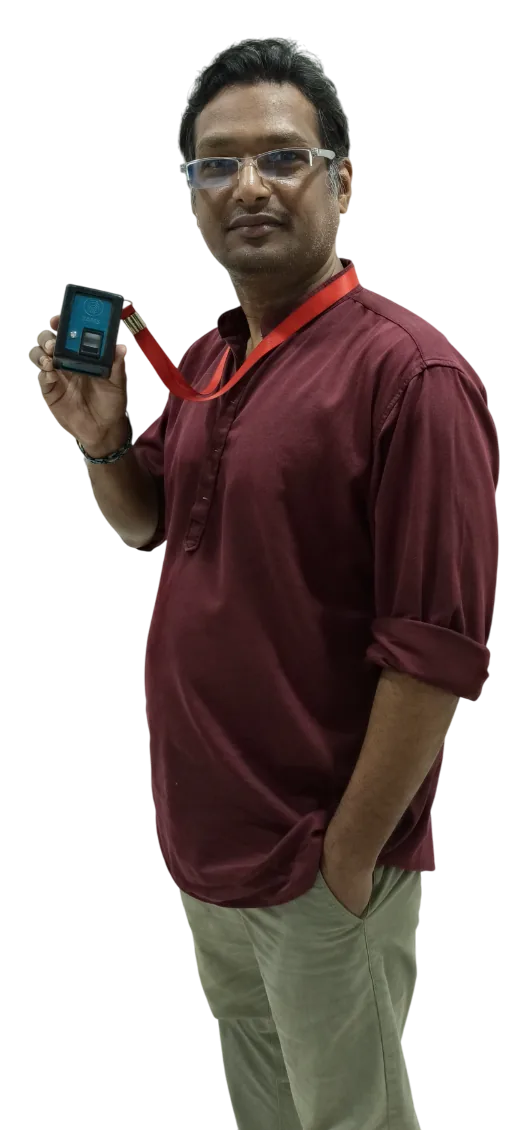
We built TAMS in India, for Indian classrooms — so that every attendance record your institution signs off is one you can trust.
Questions institutions ask us
Do we need to install any hardware or wiring on campus?
No. There are no wall-mounted machines, cables or servers to buy. Each teacher carries a palm-sized TAMS device to the classroom, and the system runs on the cloud or on your own campus server.
What happens if there is no internet in the classroom?
Attendance is still collected. The device and the apps keep every mark safely in memory and sync automatically as soon as a connection is available. Every method works with no network.
Does the fingerprint scanner work with mehndi (henna)?
Yes. The scanner reliably reads fingers even with the darkest mehndi. If a finger still does not read, the student can be marked by face, RFID card or another method enabled by the institution.
Are students’ fingerprint images stored anywhere?
No. TAMS never stores fingerprint images. The scanner keeps only a mathematical template of the finger, from which a fingerprint image cannot be recreated.
Can TAMS work with our existing college ERP?
Yes. In API mode, classes, subjects, students, faculty and the time table come in from your ERP automatically, and every finalised lecture is pushed back to the ERP live. Integration typically takes a day.
How many devices do we need?
Usually one handheld device per teacher who takes lectures, so attendance can be taken in any room, lab or workshop. We will recommend the right number for your institution.
Can we use TAMS without devices?
Yes. TAMS also runs in a pure software mode using the mobile apps — face match, lecture code or manual marking — and all reports, alerts and dashboards stay the same. Many institutions start this way while devices are being delivered.
Where is our data kept?
Wherever you prefer: on your own campus server, on Amazon Web Services, on Google Firebase or another cloud. Each college gets its own separate instance, and your data stays yours.
How is TAMS priced?
Pricing depends on the number of students, devices and the deployment you choose. TAMS is among the most affordable systems of its kind, with almost no running cost. Contact us for a quotation.
Recognised & registered



See TAMS working in your own classroom.
Book a live demo or a no-obligation campus pilot. We bring the devices and set up a class, so you see real reports from your own students before you decide.