
Face recognition attendance system for students
In TAMS, a student can mark attendance with a quick selfie that is matched to their registered face. It is the instant fallback when a finger will not read — and a way to start before devices arrive.
Face attendance sounds easy. In a classroom it needs checks.
Face recognition needs no extra hardware, which makes it attractive. On its own it also raises questions: was the student in the room, or in the canteen? How sure was the match? What about a student without a phone?
TAMS answers these by making face match one method among six, with checks around it.
- App-only face attendance cannot tell where the student is
- No way to see how reliable a match was
- Students without a phone get left out
- Fixed face cameras need installing in every room
- Face-only systems have no fallback
Face match, with the checks a college needs
The administrator switches face marking on, and reports always show how every mark was made.
Selfie matched to the registered face
A quick selfie in the Students App is matched to the face registered by the college. Teachers can also use the face option in the Attendance App.
Location check
When a lecture has a location, the punch must come from within about 50 metres of the classroom.
Match score on record
Each face mark is stored with its match score, so the office can review how reliable it was.
Fingerprint stays primary
Fingerprint on the device is the main method. Face is the instant fallback, so no student is left out.
Every mark labelled
Reports show which marks were made by face, so they can be reviewed separately.
Start without devices
In device-less mode the college runs on app-based marking, and every report and alert works the same.
For students, teachers and the classroom
Android and iOS. All three work from the same live data as the web panel.
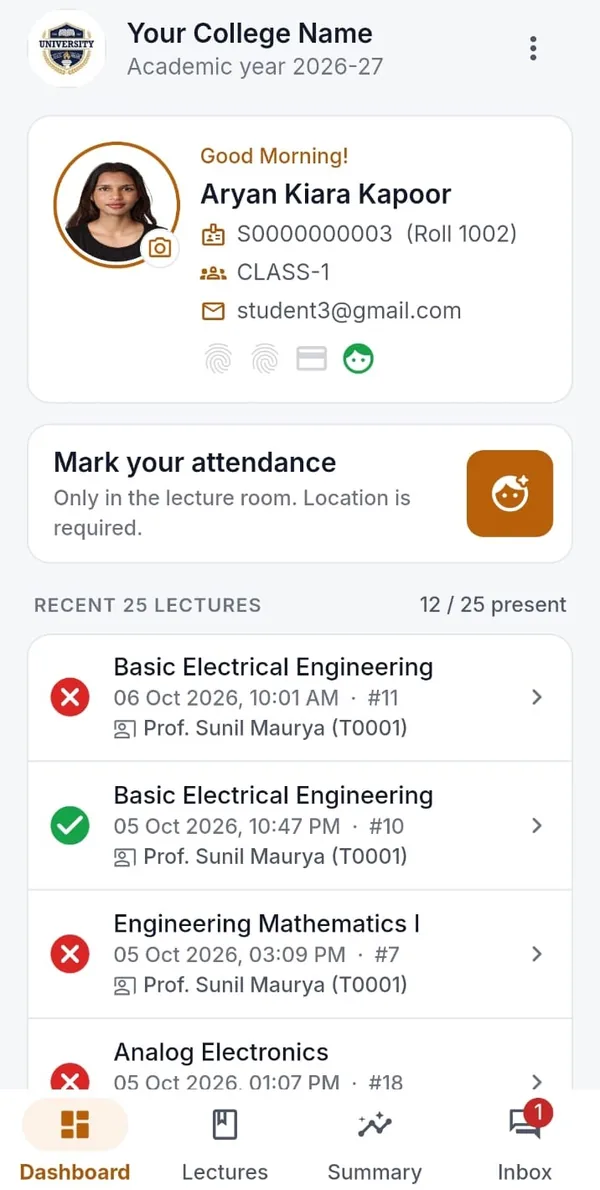
Students App
Own attendance by subject, face or code marking in the room, alerts and queries to the office.
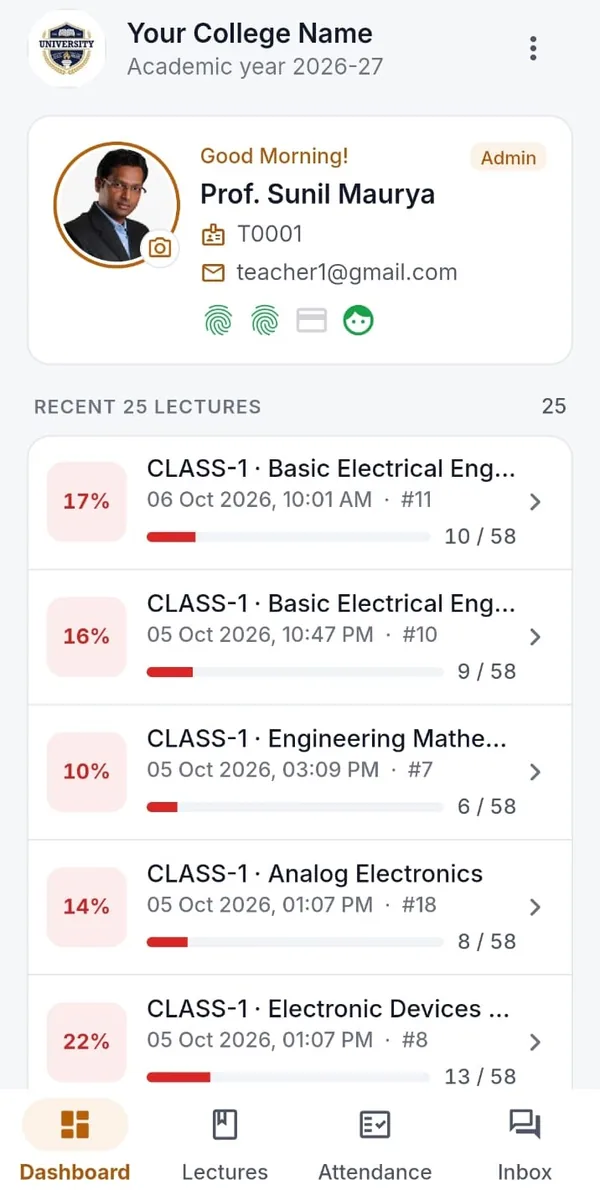
Teachers App
See all the finalised lectures, see every class’s attendance at a glance, reply to student queries.
Attendance App + device
Pairs with the TAMS device to collect fingerprint, RFID and face marks — even with no network.
How face registration and matching work
Each student’s face is registered once by the college in the Attendance app. Registration takes three photos — looking straight and turned slightly each way — and checks each one for sharpness, brightness, pose and open eyes, so a poor photo is rejected before it is saved.
When a student marks attendance by face, a single selfie is compared with the registered face and given a match score. The college decides the score that counts as a match, and can review face marks and their scores in the Confidence report.
Face matching runs on the phone with a model built into the TAMS apps, so it does not depend on a third-party service. When a lecture has a location, the punch must also come from within about 50 metres of the classroom.
Most colleges use face match as the fallback to fingerprint — for the student whose finger will not read today — or to start with app-based attendance before devices arrive.
Face-only attendance versus TAMS
Why face match works best as part of a wider system.
| Face-only app or camera | TAMS (fingerprint + face fallback) | |
|---|---|---|
| Proof the student was in the room | Depends on the product | Fingerprint on a device in the lecture; location check for app marks |
| If a face does not match | Manual override | Fingerprint, card or code |
| Hardware | Phones or fixed cameras | One handheld device per teacher; phones optional |
| Works offline | Varies | Yes, syncs later |
| Reliability on record | Varies | Match score stored with the mark |
| Lecture-wise reports | Varies | Yes |
Trusted by universities and colleges across India
 IIT Bhubaneswar
 Arka Jain University
 Krupanidhi Group of Institutions
 Tuljaram Chaturchand College
 Silver Oak University
 Kadi Sarva Vishwavidyalaya
 COER University
 Kasturba Health Society
 Uni Trust Surajba Mahila Arts College
Questions colleges ask us
Can students mark attendance with face recognition in TAMS?
Yes. When the college enables it, a student takes a quick selfie in the Students App and it is matched to their registered face.
Is face recognition or fingerprint better for college attendance?
Fingerprint on a device inside the classroom is the stronger proof of presence, so TAMS uses it as the primary method. Face match is the instant fallback and also works without any device.
Do we need cameras in every classroom?
No. Face match runs in the TAMS apps on a phone. There is nothing to install in the room.
More about TAMS
- Biometric attendance for colleges
- Student attendance management system
- Lecture-wise attendance
- College attendance app
- RFID attendance for students
- Attendance for universities
- Stop proxy attendance
- Guide: Biometric vs RFID vs face recognition attendance
- Guide: How to choose an attendance system for your college
- All TAMS features
- The TAMS device
- Apps & reports
See TAMS working in your own classroom.
Book a live demo or a no-obligation campus pilot. We bring the devices and set up a class, so you see real reports from your own students before you decide.